

Let’s cut right to the chase…
In this post, I’m going to show you how to create a memorable, professional social media profile that’s destined for success.
No filler, no fluff, and no needless information to wade through — only the steps you need to ensure your Facebook, X, Instagram, and other social media profiles are ready for primetime.
How to Create a Professional Social Media Profile (in 5 Easy Steps)
1. Choose a Good (and Consistent) Username/Handle
It sounds obvious, but…
You need to choose a username (aka “handle”) that:
- Reflects your brand’s identity, and
- Can be consistent across numerous social media platforms.
The former is pretty straightforward. But why bother with the latter?
Well, because if you can have the same username (or a close variation) on every network, it’ll be easier for people to find you. So if you can be consistent across various platforms, be consistent across various platforms.
As an example, I chose @liveyourmessage as the username for my business:
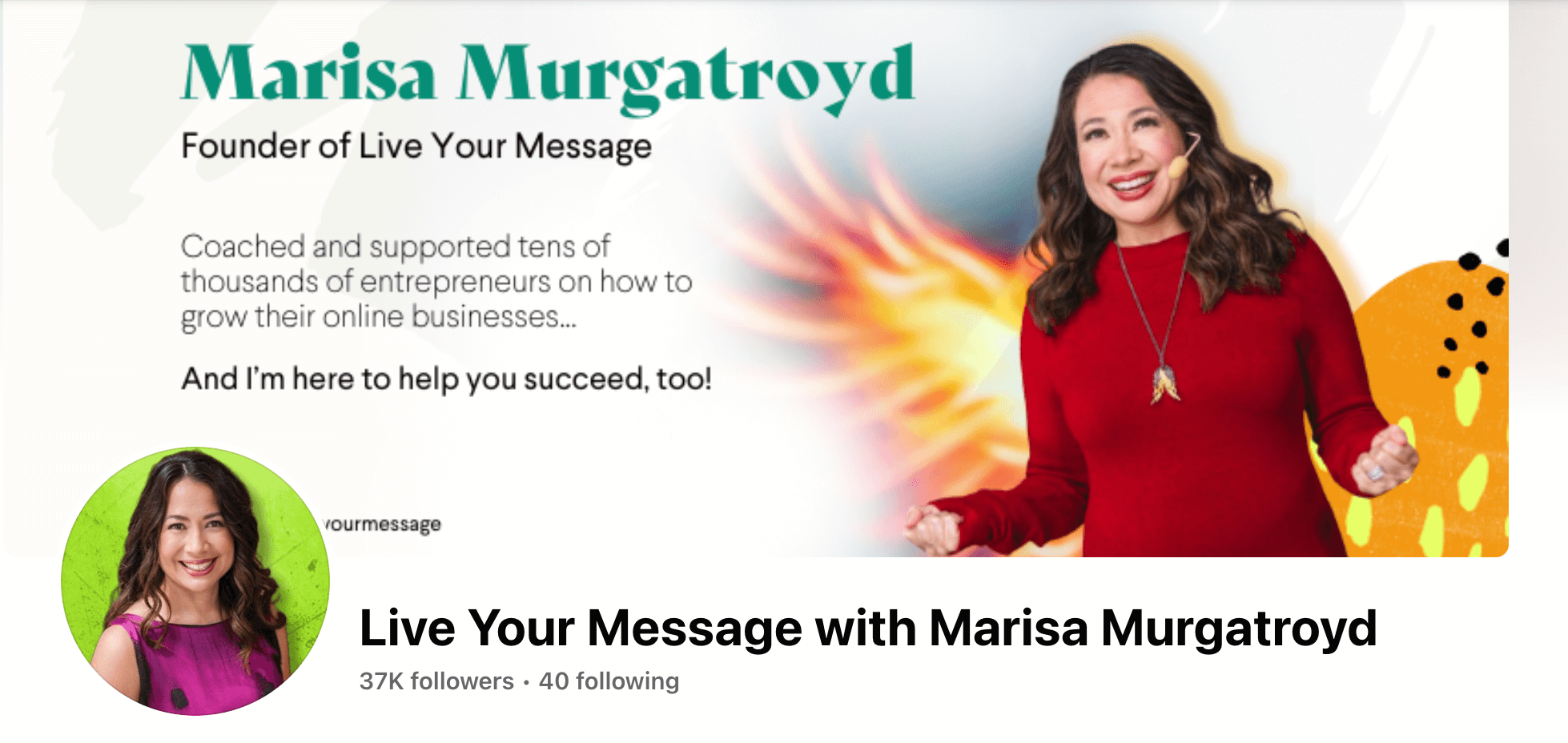
It’s my company’s username on Facebook, X, Pinterest, Instagram and YouTube.
But what do you do if your preferred name is taken? Do what Jon Morrow did for his Smart Blogger business: choose a close variation.

With “smartblogger” unavailable, Jon pivoted to “smartbloggerhq” (as in Smart Blogger Headquarters) for his various social media profiles.
Tip: Want a quick way to see which usernames are available (so you don’t have to check every platform manually)? A free tool like namecheckr makes the process easy.

Enter your desired name and the tool will tell you on which platforms, if any, it’s available.
2. Create Accounts on Multiple Platforms (Even If You Won’t Be Using Them Right Away)
Once you’ve found a great username/handle that…
- Your audience will associate with your brand,
- Is available on the social media platforms that matter to you
…it’s time to create your accounts.
Yes, accounts (plural). Even if you only plan on utilizing one or two social platforms, you’ll want to reserve your chosen username on as many platforms as possible.
One, you might change your mind and decide to use the platforms at a later date. But, two, it gives you a better chance to build advocates that will mention or tag your brand – even on platforms where you aren’t active.
The steps for account creation will differ from platform to platform, but here’s what you’ll do for some of the more popular ones:
How to Create an X Profile
- Go to x.com/signup
- Click the sign up button
- The “Create your account” pop-up that appears will guide you through the sign-up process
How to Create a Facebook Page
- Go to your personal Facebook profile (you’ll need to be logged into your account in order to create a page)
- At the top of the homepage, select “Create” and choose “Page”
- In the steps that follow, you’ll name your page, select a category, add your business info, and more (just follow the instructions)
How to Create an Instagram Account
On a computer:
- Go to instagram.com
- Click “Sign up”, enter your email address, and create a username and password (alternatively, you can click “Log in with Facebook” if you’d like to sign up with your Facebook account)
On a mobile device:
- Download (and open) the Instagram app from the App Store (iPhone) or Google Play Store (Android)
- Tap “Sign Up With Email or Phone Number” if you’re on an Android or “Create New Account” for iPhone (iPhone) and enter your email address or phone number (alternatively, you can tap “Log in with Facebook” to sign up using your Facebook account)
How to Create a Pinterest Account
- Go to pinterest.com
- Enter your “Email”, “Create a password”, and enter your “Age”
- Follow the instructions for selecting language, country/region, topics, and more
How to Create a LinkedIn Company Page
While logged into your personal LinkedIn account:
- Click the “Work” icon in the top-right corner
- Click “Create a Company Page”
- In the steps that follow, you’ll enter your “Page type”, “Page identify”, “Company or Institution details”, and more (just follow the instructions
For any other social platforms you’d like to join, just enter “how to sign up for <name of platform>” into Google and find the official documentation.
Once you’ve created your accounts, it’s time to add the details that’ll make them stand out.
3. Upload Your Profile Picture (and Use the Same One on All Accounts)

This step is simple, but it needs to be emphasized. Your profile picture should:
- Be your brand’s logo (or your photo, if you’re the brand), and
- If possible, be the same on every single social media platform.
Don’t try to be cute. Don’t use a picture that has little (or nothing) to do with your brand. And don’t use a different picture on different platforms unless there’s a really good reason to do so.
Be professional, be consistent and make sure you’re using a high-quality image.
Follow these simple rules and you’re golden.
4. Choose a Professional Background (Cover) Image
If the platform allows it (not all do), you’ll next want to upload a high-quality cover image that’s relevant to you and your brand.

Unlike your profile picture, it’s perfectly fine to use different cover images for different platforms. Just make sure they’re professional, high-quality and the proper dimensions for the platform in question.
As of this writing, the cover image dimensions for Facebook, X and LinkedIn are…
- 851×315
- 1500×500
- 1584×396
…respectively.
Not sure where to find a good image?
There are many sites that offer royalty-free stock photos you can use. Simply enter a search term and browse the different options.
5. Craft a Compelling Bio
With your accounts created and your images uploaded, it’s time to roll up your sleeves and tell the world what you’re all about.
The bio on your social profile lets you sell yourself or your brand in a few words.
You can highlight what you offer…
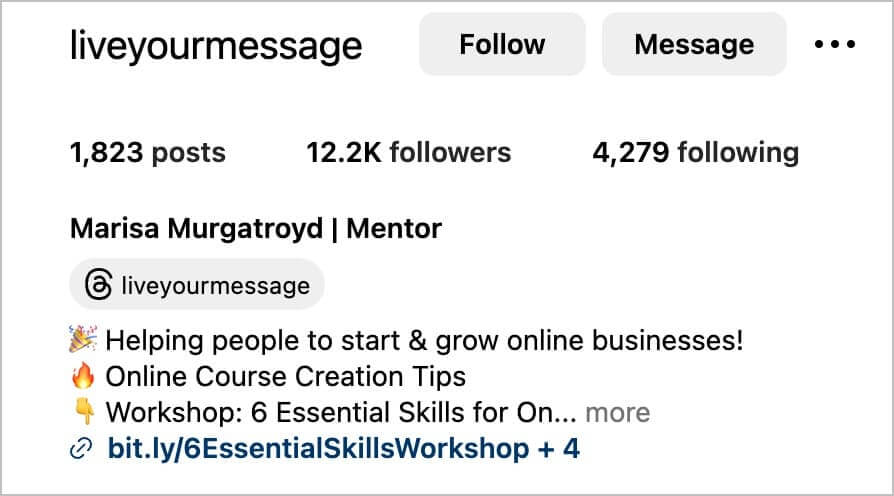
Offer evidence of your influence or expertise…

Or even given readers a peek behind the scenes:

Whatever path you choose, make sure your bio is clear, professional and captivating.
Note: Each platform has its own character limits for profiles. With Instagram, for example, you’re limited to 150-characters, so brevity is key. On the other hand, LinkedIn allows you up to 2,000 words.
3 (Bonus) Social Media Profile Tips to Remember
Now that you’ve created your various social media profiles, here are a few tips to remember (for the platforms you’ll be actively using):
1. Pin Your Best Content
With social media, the posts and tweets you share one day are ancient news the next.
There’s nothing you can do about this when it comes to people’s feeds, but you can ensure your best work is easy to find when someone looks you up and views your profile page.
By “pinning” a post, it’ll be the first one people see when browsing your profile.

Not every platform supports pinned content, but for those that do (X, Facebook and LinkedIn), it’s an easy way to keep your best work front and center for people to discover.
2. Don’t Go Overboard With Hashtags
Hashtags can be effective – when used appropriately and sparingly.
This is okay:

This is not:

3. Have a Consistent (and Realistic) Content Strategy
Some would say that having a wonderful social media profile is fairly pointless if you never (or rarely) publish content to it.
And that’s true… to an extent.
But, that doesn’t mean you should try to be active on every single platform. You’ll stretch yourself too thin.
Instead, just focus on a few (or even just one). Choose the platform or platforms most relevant to your brand or business and ignore the rest – at least initially.
Tools like Hootsuite, Buffer and Missinglettr make planning and scheduling social media posts much easier and each offers a free plan.
In as little as 5 minutes, these tools can let you schedule a full week’s worth of content. It’ll make your profile seem very active even though it isn’t (at least not yet).
Ready to Build a Professional Social Media Profile?
If yes, let me know in the comments below!
And if you’ve already created your social media profiles, let me know if there are any tips or tricks you think I should add.
Just keep in mind that whatever social profile(s) you choose to focus on, you need to make sure your social strategy works hand-in-hand with your overall business strategy… otherwise, you’ll just spin your wheels and get little tangible results.
Before you go…
Turn your expertise into income FASTER! Take my $9 Profitable Micro-Niches Mini-Course!
You know the riches are in the niches…
But most people’s niches are too broad — they’re missing that critical Market Fit.
And that’s exactly what your Micro-Niche is all about…
Defining exactly what you do AND exactly who you serve in such a specific, compelling way leaves your Perfect Customers no choice but to lean in and say… how can I get what you’ve got?!
I’ll show you how to find yours in my $9 Mini-Course!
